Last comment fields for Jira Cloud: text, author and date
See the latest comment on every issue as list columns, search it with JQL and export it to CSV. Free for up to 10 users.
Coming soon to the Atlassian Marketplace
Want to try it before then? Email hello@loomwise.app.
Free up to 10 users · Runs on Atlassian Forge · Jira Cloud
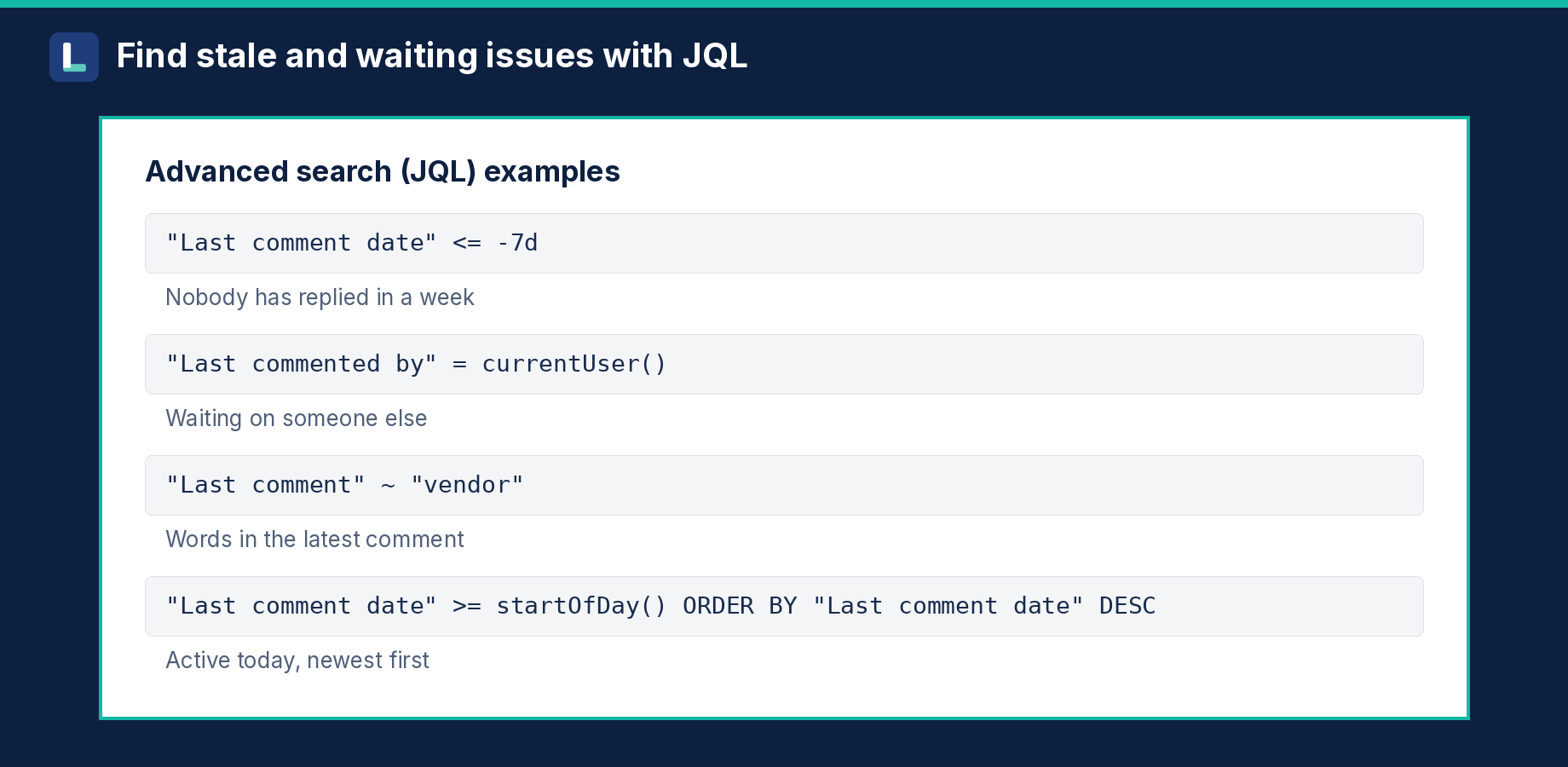
"Last comment date" <= -7d finds issues nobody replied to in a week, "Last commented by" = currentUser() finds ones waiting on others, and "Last comment" ~ "blocked" searches words in the latest comment.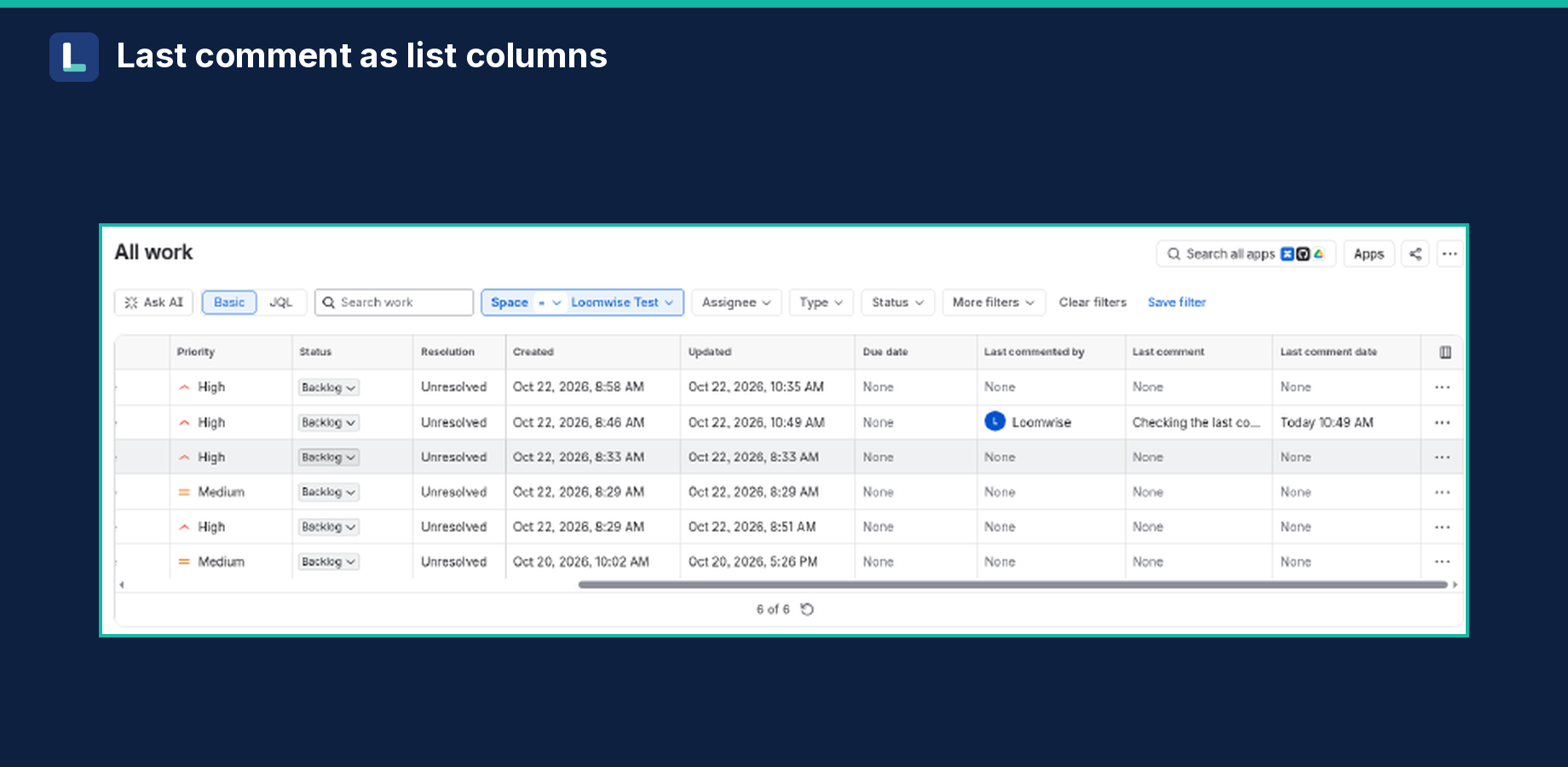
The fields
- Last comment: the text of the latest comment, as plain text, up to 255 characters (longer comments are shortened with "…"). Searchable with
~. - Last commented by: the comment's author, a normal user field.
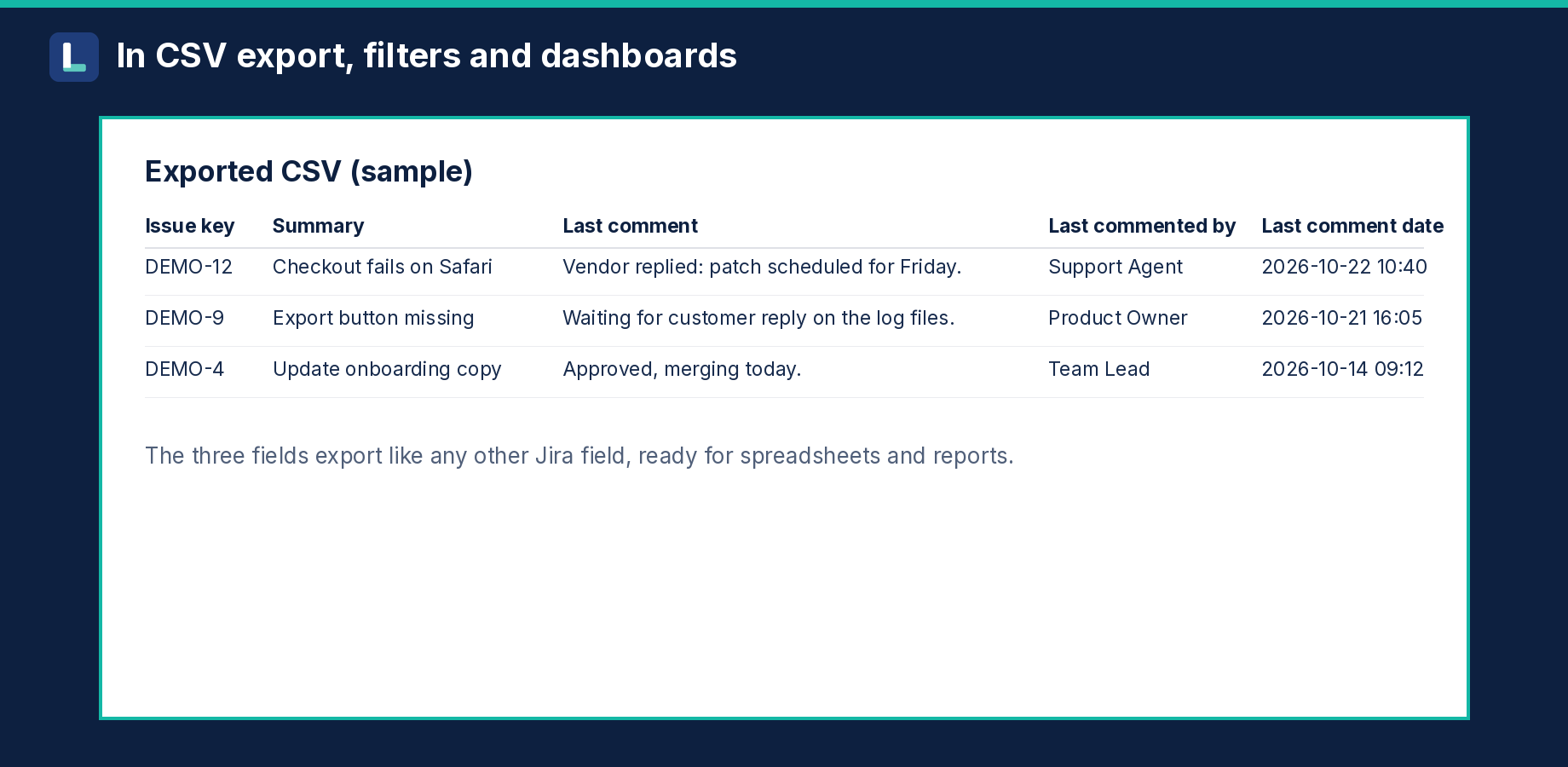
- Last comment date: when the latest comment was posted, a normal date-time field (sort, compare, relative dates).
All three are read-only: only the app writes them.
How it stays up to date
- When a comment is added or edited, the fields update within seconds.
- When a comment is deleted, the app re-checks recently updated issues every 5 minutes, so the fields fall back to the previous comment (or clear) within about 5 minutes.
- Opening an issue also refreshes its values.
Setup
- Install the app.
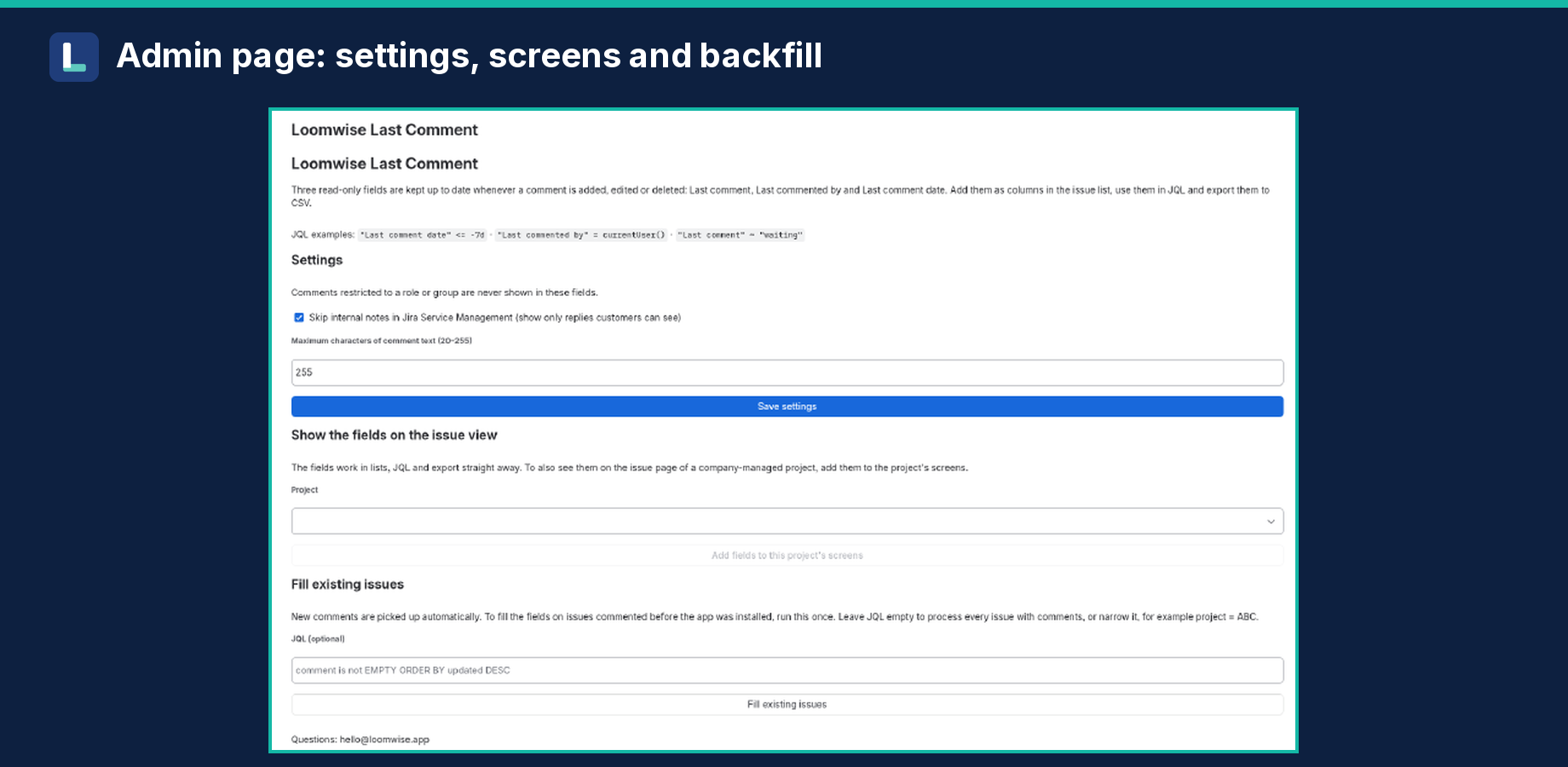
- Go to Settings (gear) > Apps > Manage apps, then click Loomwise Last Comment in the left menu.
- Click Fill existing issues once, to fill issues commented before you installed. Leave JQL empty for every issue with comments, or narrow it, for example
project = ABC. - Optional, to see the fields on the issue page (company-managed projects): pick a project under Show the fields on the issue view and click Add fields to this project's screens.
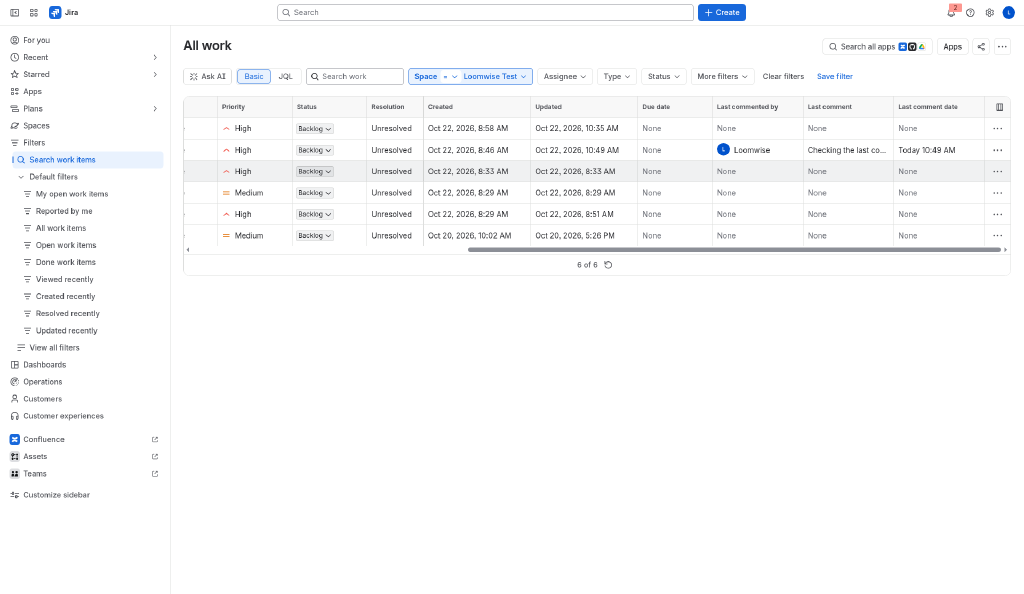
- In the issue list, open the column picker and add Last comment, Last commented by and Last comment date.
Privacy
Comments restricted to a role or group are never shown in the fields, so private discussion stays private: field values are visible to everyone who can see the issue.
Settings:
- Skip internal notes in Jira Service Management (on by default). Only replies customers can see are used.
- Maximum characters of comment text (20–255).
Honest limits
- Comment text is capped at 255 characters and stored as plain text (formatting, images and attachments are dropped).
- Deleted comments are picked up within about 5 minutes, not instantly.
- Team-managed projects: the fields work in lists, JQL and export, but the "Add to screens" button only supports company-managed projects.
- Jira automation and Jira mobile may not show Forge fields yet (an Atlassian platform limit).
- If you change a setting, run Fill existing issues again to apply it to older issues.
Pricing
Free for sites with up to 10 users. Larger sites pay per user through Atlassian, about $0.35 per user per month (final price shown on the Marketplace listing).
FAQ
Can people edit the fields? No. They're read-only and filled only by the app.
Is data sent anywhere? No. It runs on Atlassian Forge, and the app contacts no outside hosts. Settings are stored in Forge app storage.
Will private or internal comments leak into the fields? No. Comments restricted to a role or group are never used, and JSM internal notes are skipped by default.
How much does it cost? Free for up to 10 users; about $0.35 per user per month above that, billed by Atlassian.
Does it work with team-managed projects? Yes for list columns, JQL and CSV export; adding to issue-view screens is for company-managed projects.
Privacy? See the Jira app privacy policy. This website uses Cloudflare Web Analytics; the app itself does no tracking.
Support
Questions, bugs, feature ideas: hello@loomwise.app