Default field values for Jira Cloud — per project and issue type
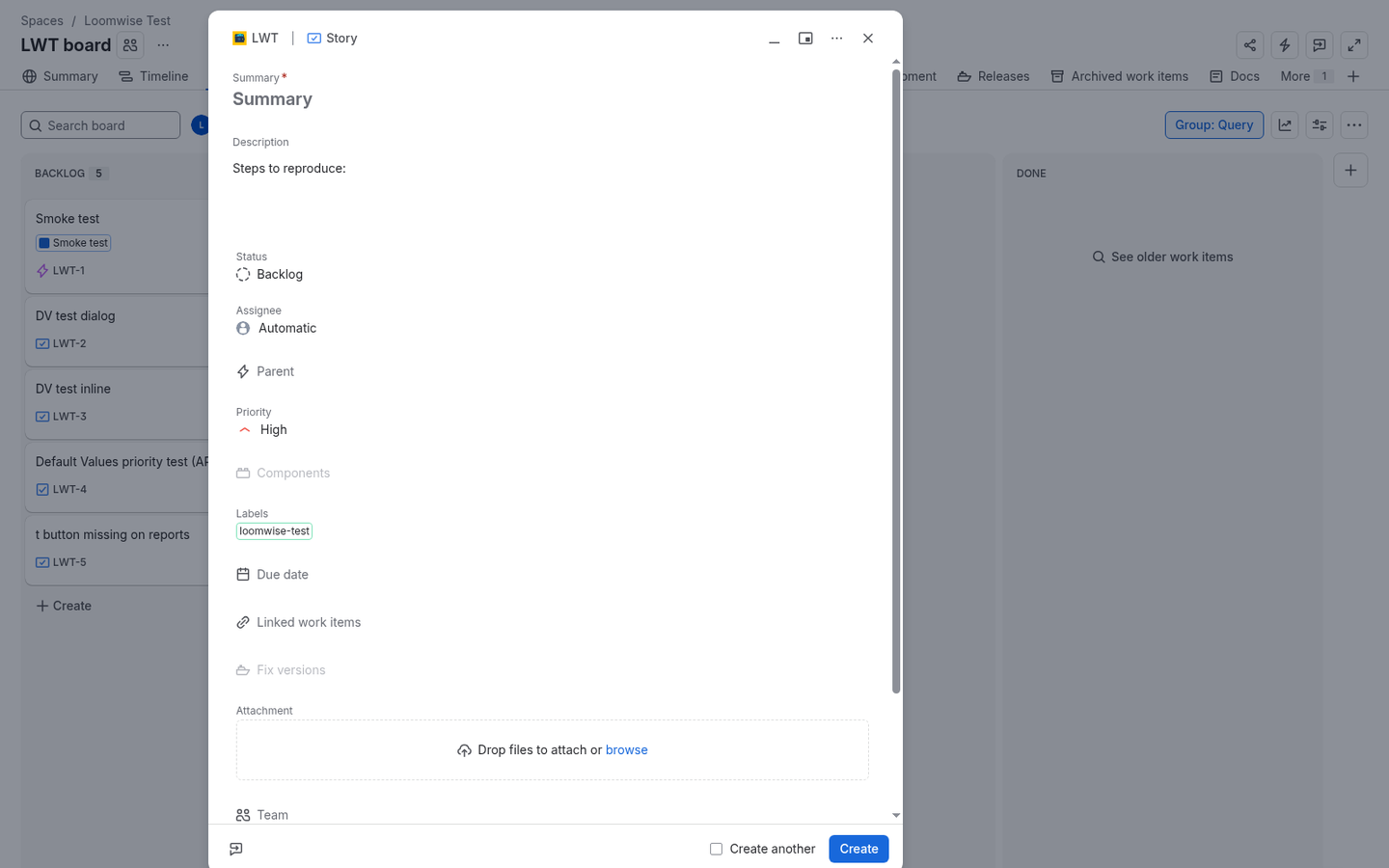
Pre-fill Priority, Description templates, Labels, Components, Assignee and custom fields in Jira's Create dialog. Free.
Coming soon to the Atlassian Marketplace
Want to try it before then? Email hello@loomwise.app.
Free · Runs on Atlassian Forge · Jira Cloud
Supported fields
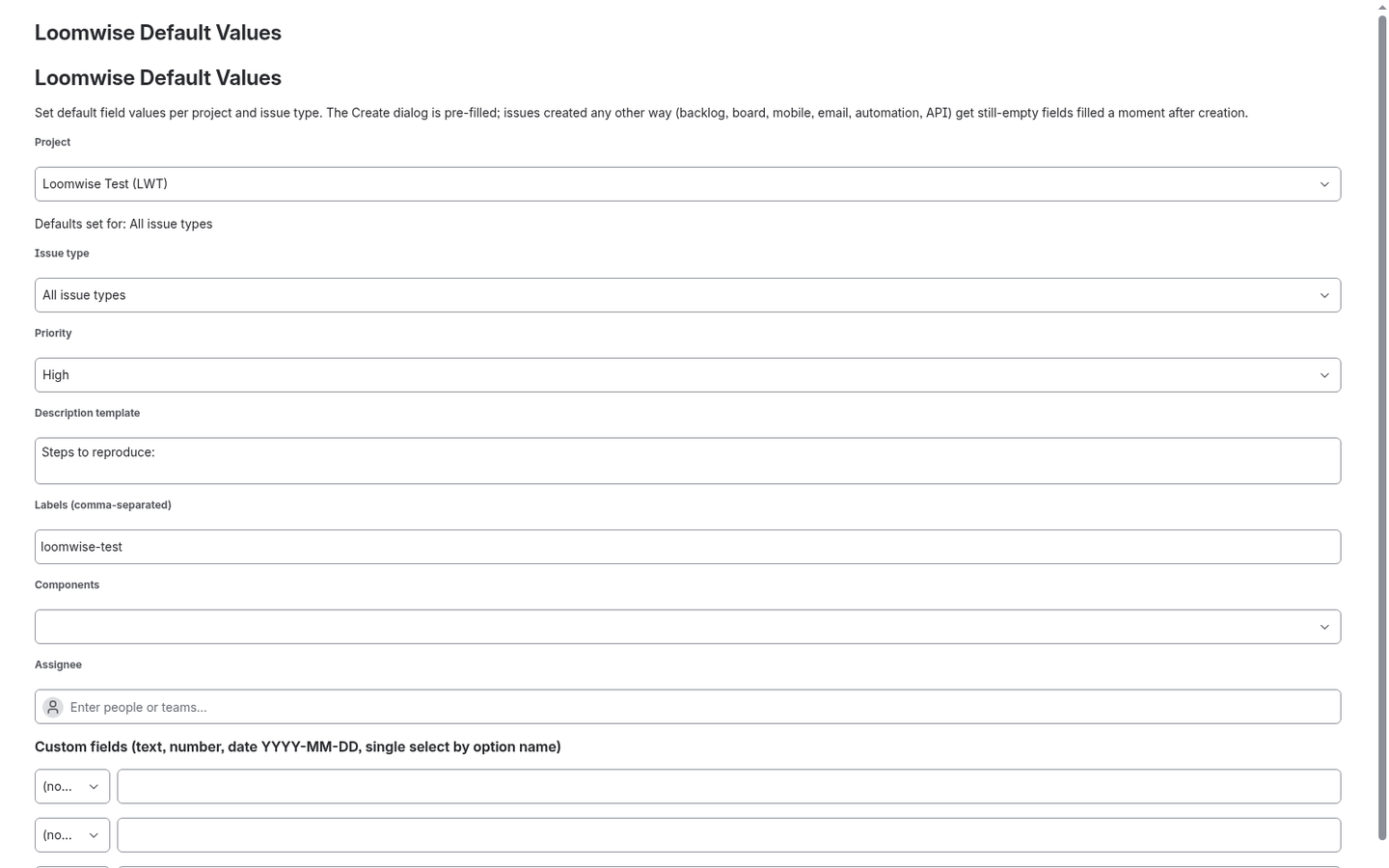
Priority, Description (template text), Labels, Components, Assignee, and custom fields of type text (single/multi-line), number, date and single select.
Works with
- Company-managed and team-managed Jira Software / Work Management projects.
- The top Create button and the
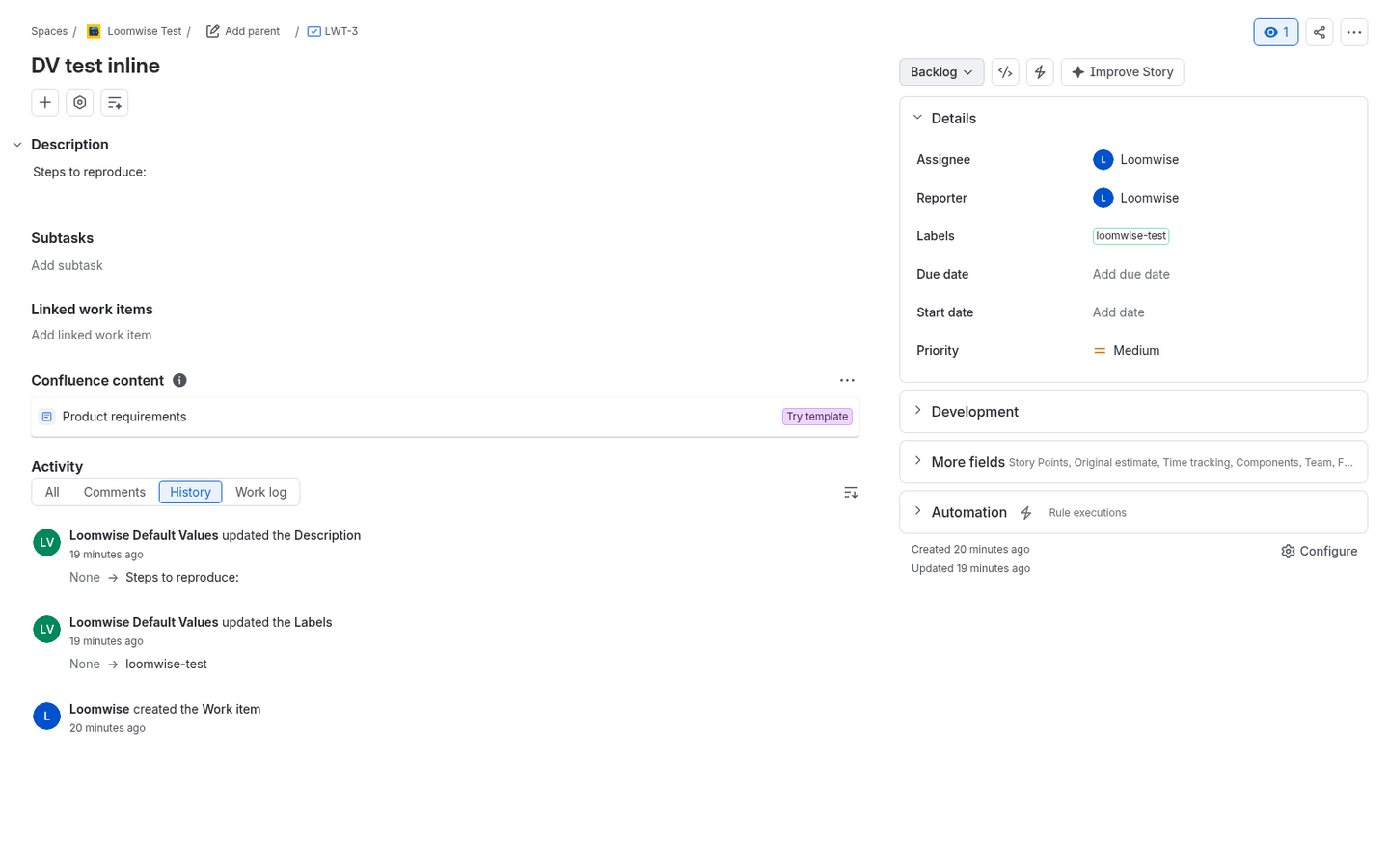
cshortcut. - Board and backlog inline create (fields are filled a few seconds after the issue is created).
Setup
- Install.
- Go to Settings (gear) > Apps > Loomwise Default Values.
- Pick a project and issue type, set values, click Save.
Honest limits
- Jira loads app changes after the Create dialog opens, so fields may show empty for a split second before the defaults appear.
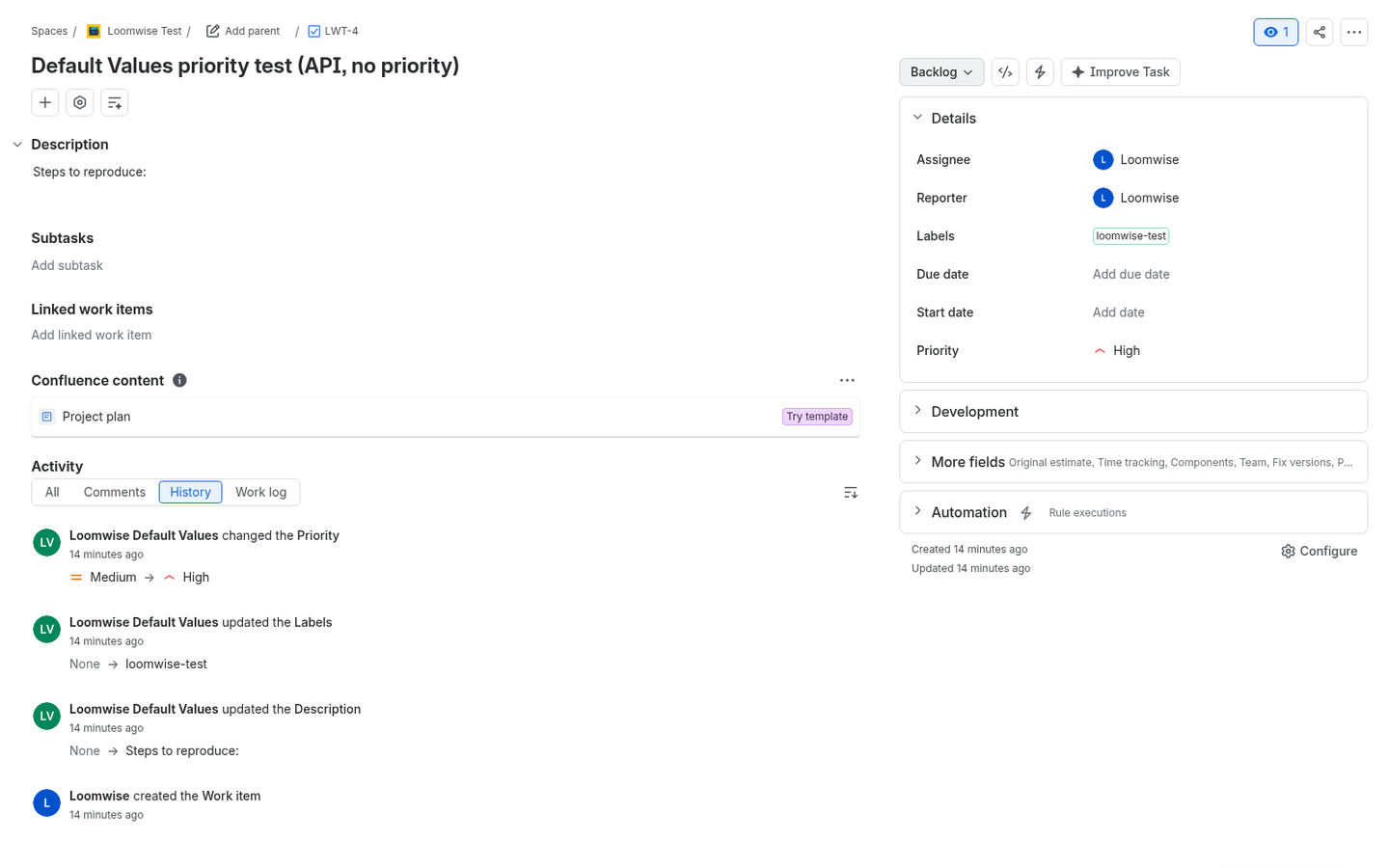
- Outside the Create dialog, defaults are added a moment after the issue is created, not while typing. Notifications and automation rules that fire on "Issue created" may see the issue before the defaults are added.
- Child issues / subtasks only get the full Create dialog if the summary and at least one other field are mandatory; otherwise the post-creation fill applies.
- Fields must be on the project's create screen (dialog) or edit screen (post-creation fill).
- Jira allows up to 5 UI-modification apps per project/issue type; beyond that, Jira ignores some.
- The Jira Service Management portal is not supported yet.
- Post-creation updates appear in issue history as made by the app, with notifications turned off.
Can't Jira do this natively?
Partly. Custom fields can have a default value per field context, but system fields like Priority, Description, Labels and Assignee have no per-issue-type default, and team-managed projects have even fewer options. Workarounds such as Automation rules only change the issue after it's created. This app gives you per-project, per-issue-type defaults that people see in the Create dialog.
FAQ
Does it overwrite what users type? No. It only fills fields that are still empty. Anything a user entered is kept. One exception: Jira always sets a priority, so after creation the app replaces priority only when the issue still has Jira's default priority.
Is data sent anywhere? No. It runs on Atlassian Forge, and the app contacts no outside hosts. Configuration is stored in Forge app storage.
How much does it cost? It's free.
Does it work with team-managed projects? Yes, both company-managed and team-managed projects.
Privacy? See the Jira app privacy policy. This website uses Cloudflare Web Analytics; the app itself does no tracking.
Support
Questions, bugs, feature ideas: hello@loomwise.app